Kaluna
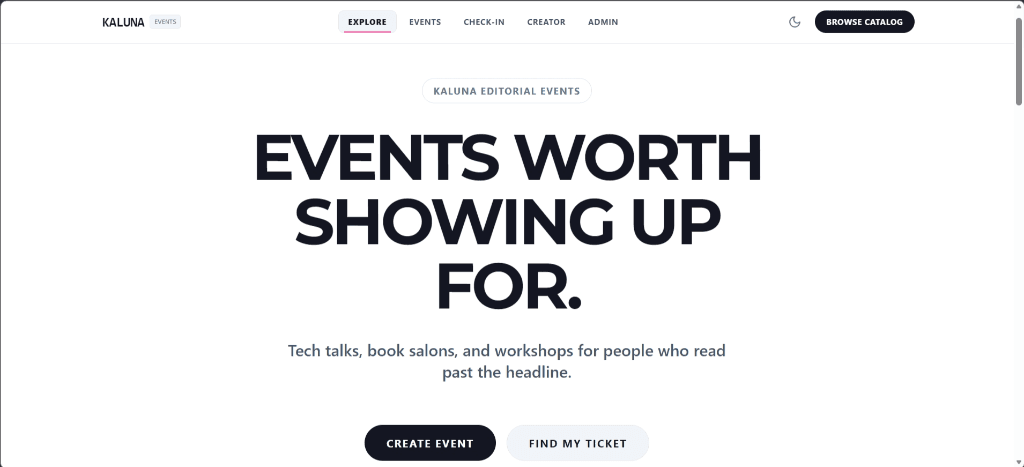
Kaluna is a serverless event ticketing platform built on AWS. It replaces messy spreadsheets and inaccurate headcounts with automatic email tickets, fast QR check-ins at the door, and live attendance tracking for organizers.
The Story Behind Kaluna
A few weeks ago, a friend called me after organizing what looked like a wildly successful tech meetup on social media.
On paper, every single seat was booked. But behind the scenes, event day was an operational nightmare.
She had used a standard Google Form and spreadsheet to collect RSVPs. People submitted the form multiple times with different emails or typos. Based on the 120 signups on the sheet, the team ordered 120 boxes of pizza. When the doors opened, only 65 people actually walked in. Half the food went to waste, budget was burned, and volunteers spent the first hour frantically searching names on a laggy phone spreadsheet trying to check people in manually.
Event registration isn't just a form. When headcounts don't match the room, organizers lose money, catering goes to waste, and attendees wait in long lines.
What Kaluna Does
- Automatic Ticket Delivery: Attendees register and instantly receive a confirmation email with a unique QR ticket and calendar invite.
- Real-Time Capacity Tracking: The platform reserves seats atomically in DynamoDB, ensuring zero overbooking.
- Automatic Waitlist: When an event fills up, new signups enter a waitlist that automatically promotes them if a spot opens.
- Sub-50ms QR Door Scanner: Door staff scan QR codes from any mobile browser with instant validation and automatic duplicate prevention.
- Live Organizer Dashboard: Organizers see real-time attendance numbers and check-in speeds as they happen.
How It Works
When someone registers, the request hits a lightweight AWS API that checks capacity, reserves the seat, and sends the confirmation email with the QR ticket in under a second — without needing a server running 24/7.
At the door, staff scan tickets using a dedicated Go runtime service built specifically for speed. Because a slow scan at a crowded door causes bottlenecks, check-in responses resolve in ~35ms with automatic duplicate prevention.
System Architecture
To understand how the microservices collaborate across the diagram, here is how the three primary request flows operate end-to-end:
- Journey 1: Attendee Registration & Ticket Delivery
A visitor discovers an event page (cached globally via CloudFront CDN) and submits their registration. The request routes through API Gateway to the Registration Service (Python). The function executes an atomic conditional write in DynamoDB, decrementing the seat count only if available capacity > 0. Once reserved, it dispatches an instant confirmation email via Amazon SES with the attendee's unique QR code ticket and an attached .ics calendar invite.
- Journey 2: Door Check-in & Sub-35ms QR Verification
At the venue, event staff scan the attendee's QR code ticket using any smartphone camera. The scan payload passes via API Gateway directly to the dedicated Check-in Scanner (Go). Built with a compiled ARM64 Go runtime for instant ~35ms cold starts, it performs a conditional DynamoDB update from ISSUED to CHECKED_IN. If a screenshot was already scanned or reused, the condition fails instantly, triggering a clear red alert on the volunteer's scanner.
- Journey 3: Organizer Admin & Live Headcount
Event organizers access the administrative backend through Amazon Cognito authentication. Cognito issues cryptographically signed JWT tokens, enabling API Gateway to authenticate requests at the edge before invoking the Events Service (Python). Organizers can create new events, adjust capacities, and view live entrance metrics in real time.
Database Design (DynamoDB)
All services write to a single DynamoDB table with optimized access patterns:
- Event Record: Fast capacity lookups in <10ms.
- Registration Record: Atomic seat decrement that prevents double-booking.
- Ticket Record: Conditional status update (ISSUED -> CHECKED_IN) that blocks screenshot reuse and duplicate scans.
Security and Infrastructure
- Least-Privilege IAM: The scanner service only has permission to update ticket status — it cannot view attendee emails or delete event data.
- Domain Authentication: Verified Amazon SES with custom SPF, DKIM, and DMARC alignment to ensure QR tickets never land in spam.
- Infrastructure as Code: Terraform manages development, staging, and production environments with automated GitHub Actions CI/CD pipelines.
Why It Matters
I built Kaluna as an Azubi Africa capstone, but engineered it from day one as a production product: three distinct environments (dev, staging, prod), automated testing, cloud monitoring, and complete engineering documentation rather than a one-off coursework project.